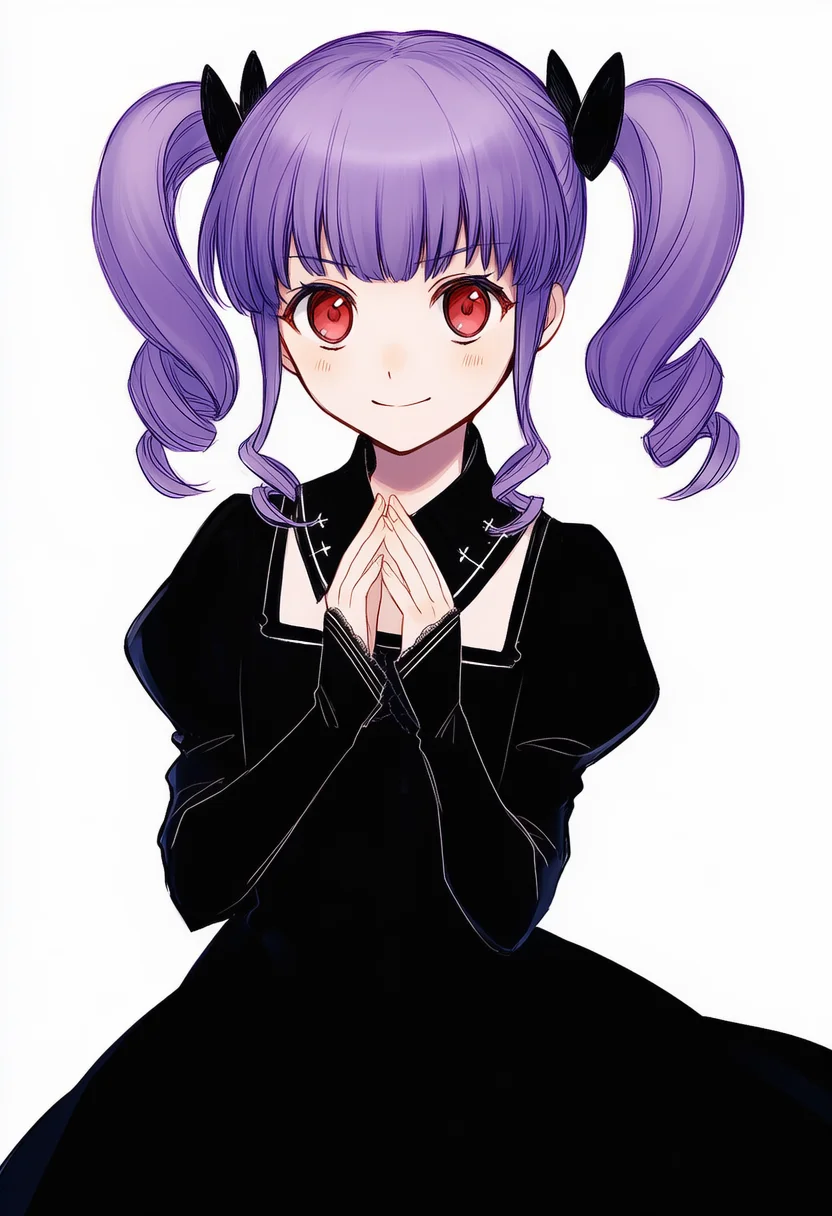
About the udagawa ako tag
udagawa ako is a character tag that NovelAI Diffusion can use. On Danbooru it has 527 posts, and its best-rated still image scores 166. The samples above put the tag at the front of a fixed base prompt with seed 1234, so the differences between tags come from the tag alone.
How each model draws udagawa ako
Follows composition and expression instructions closely, so the effect shows in a tidy form.
Reacts to the tag more strongly, so its effect is easier to see.
WAI illustrious SDXL v17, a local model. Shows how the same tag reads outside NovelAI.
Writing udagawa ako in a prompt
Put the subject first, then this tag, then quality tags.
udagawa ako, solo, best quality, masterpiecewlop, udagawa ako, soloThe negative prompt and the full settings are on the terms page.
How these samples were made
Every image uses 832×1216, seed 1234, 23 steps and the k_euler_ancestral sampler. The base prompt and negative prompt stay the same for every tag, and only the tag under test changes. Images flagged by the NSFW check are regenerated with a new seed or hidden.
From the Danbooru wiki
The drummer of the band Roselia in BanG Dream!. She is a third-year middle schooler with red eyes, curly purple twintails (sometimes curly enough to count as twin drills instead), and chuunibyou tendencies. Her birthday is July 3rd.
Udagawa Tomoe is her older sister.
Voiced by Sakuragawa Megu
FAQ
Does NovelAI recognize udagawa ako?
Compare the samples on this page. Every tag on this site shares the same seed and base prompt, so any change you see comes from udagawa ako.
How do I write udagawa ako in a prompt?
Write "udagawa ako" near the front of the prompt and separate it from other tags with commas.
Should I use V5 or V4.5?
V4.5 shows the tag's effect more strongly. V5 gives steadier images with fewer artifacts.