CHROME EXTENSION
TagDeck for NovelAI
TagDeck adds your own tag deck to the NovelAI image-generation screen. Save the artists, characters and compositions you use most, and drop them into the prompt in one click. Free.
Get it on the Chrome Web Store ↗Free / 日本語・English・简体中文・繁體中文・한국어
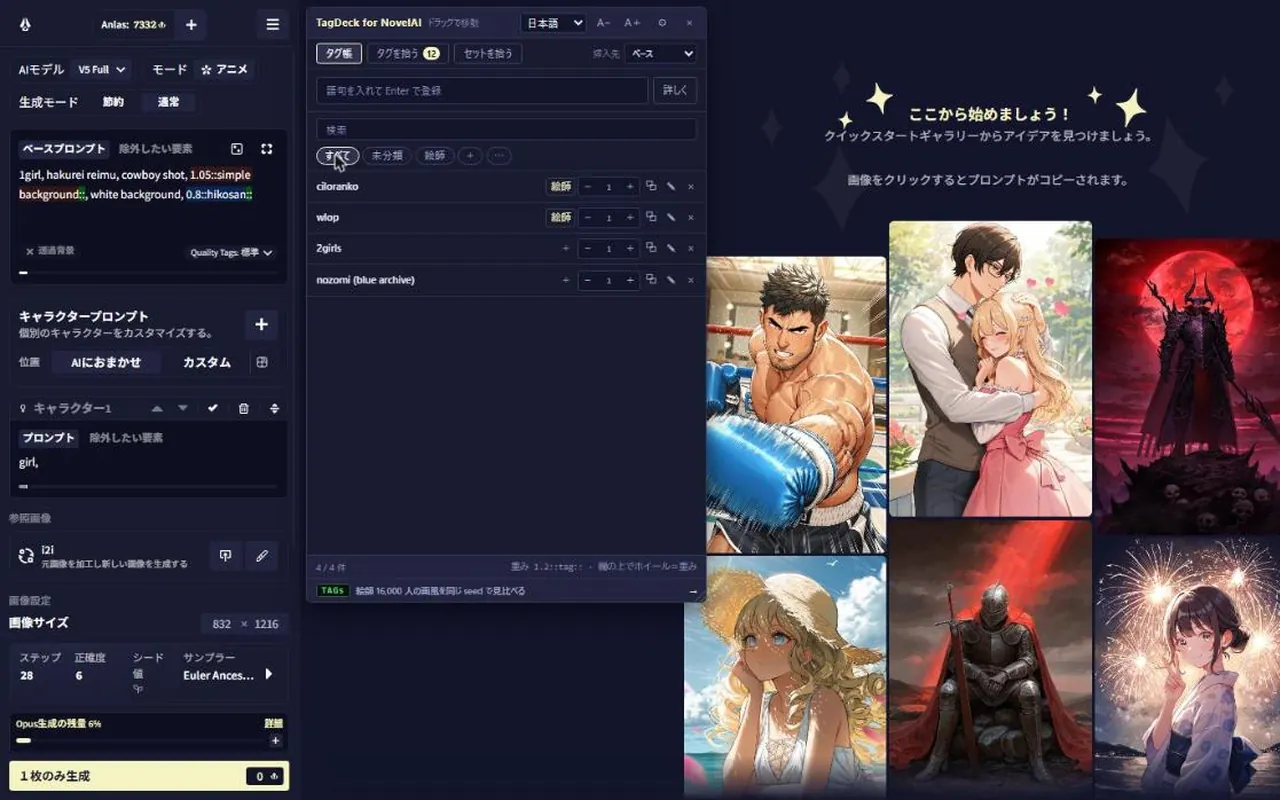
// On NovelAI
- >Insert a saved tag in one click, into the Base, Undesired or Character box you choose.
- >Three ways to save: type it, pick tags from the current prompt, or save a whole box as one set.
- >Make your own groups (artists, characters, …) to organize and filter.
- >Spin the mouse wheel over a tag in the prompt to change its weight by 0.05.
- >Select text on any page, such as tags.gallery, and save it from the right-click menu.
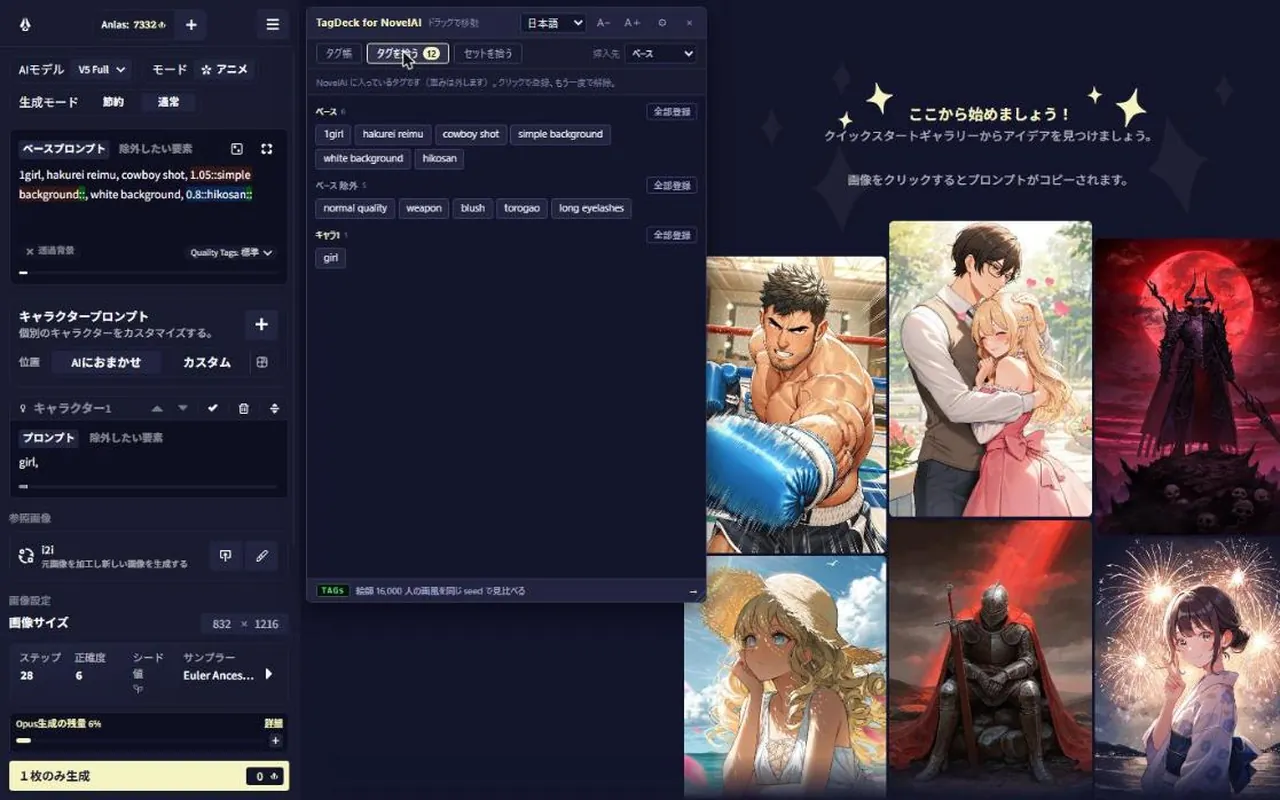
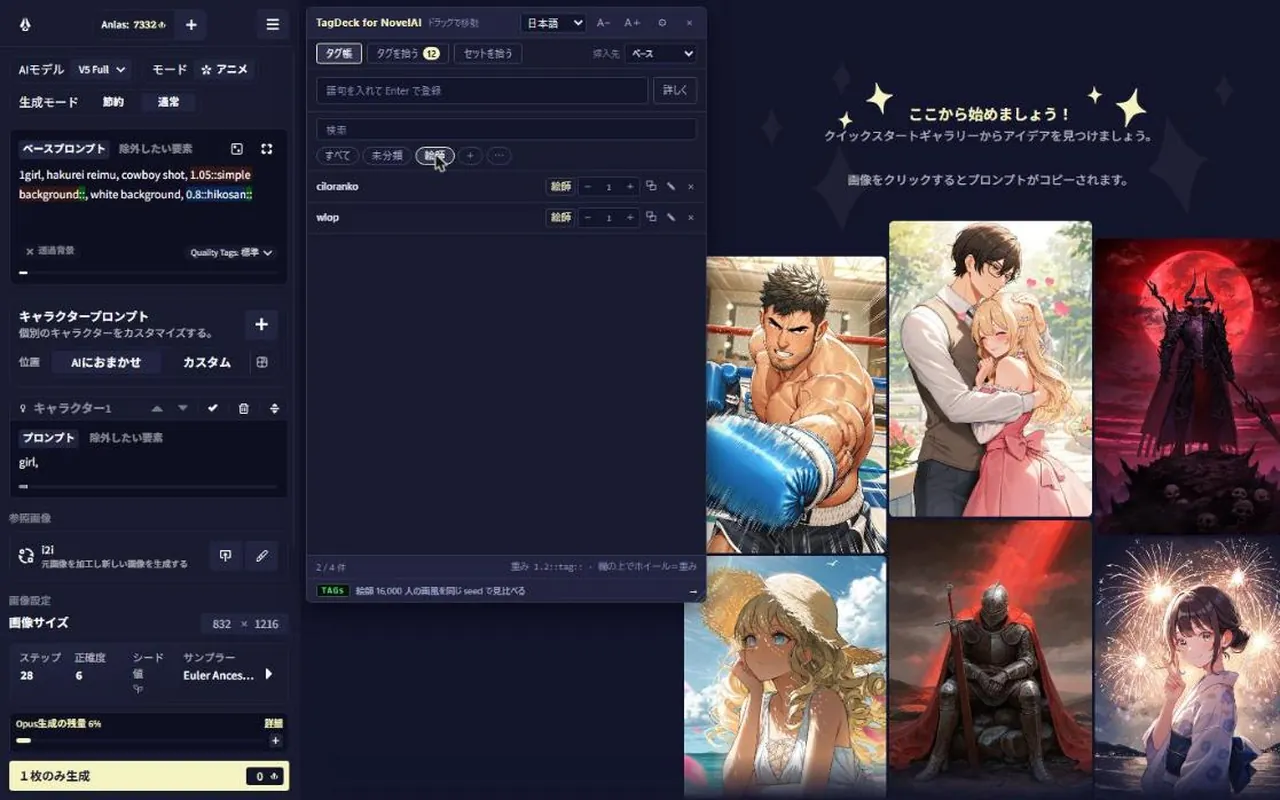
// NovelAI tags on artists' X profiles From 0.3.0 (in review)
Open an artist's profile on X and their NovelAI tag appears next to the @handle. It covers about 19,000 artists whose X account is listed on Danbooru.
- >Press the tag to copy it.
- >♥ adds it to your tags.gallery favorites; each press steps it up: Keep, Like, Love.
- >+ saves it to your deck.
- >The arrow opens its samples on tags.gallery.
// Your data
- >Your tags and settings stay in this browser. Nothing is sent anywhere.
- >The X handle → tag table ships inside the extension. Which X pages you open is never sent anywhere.
- >Favorites set on X are written into your tags.gallery favorites and ♥ the next time you open tags.gallery, just as if you had pressed ♥ on the site.
// Permissions
- storage
- to save your tags and settings
- contextMenus
- to save selected text from the right-click menu
- novelai.net
- to show the panel on NovelAI and insert into the prompt
- x.com
- to show tags on artists' profiles (from 0.3.0)
- tags.gallery
- to hand favorites set on X to the site (from 0.3.0)
Get it on the Chrome Web Store ↗Free / 日本語・English・简体中文・繁體中文・한국어
← Home