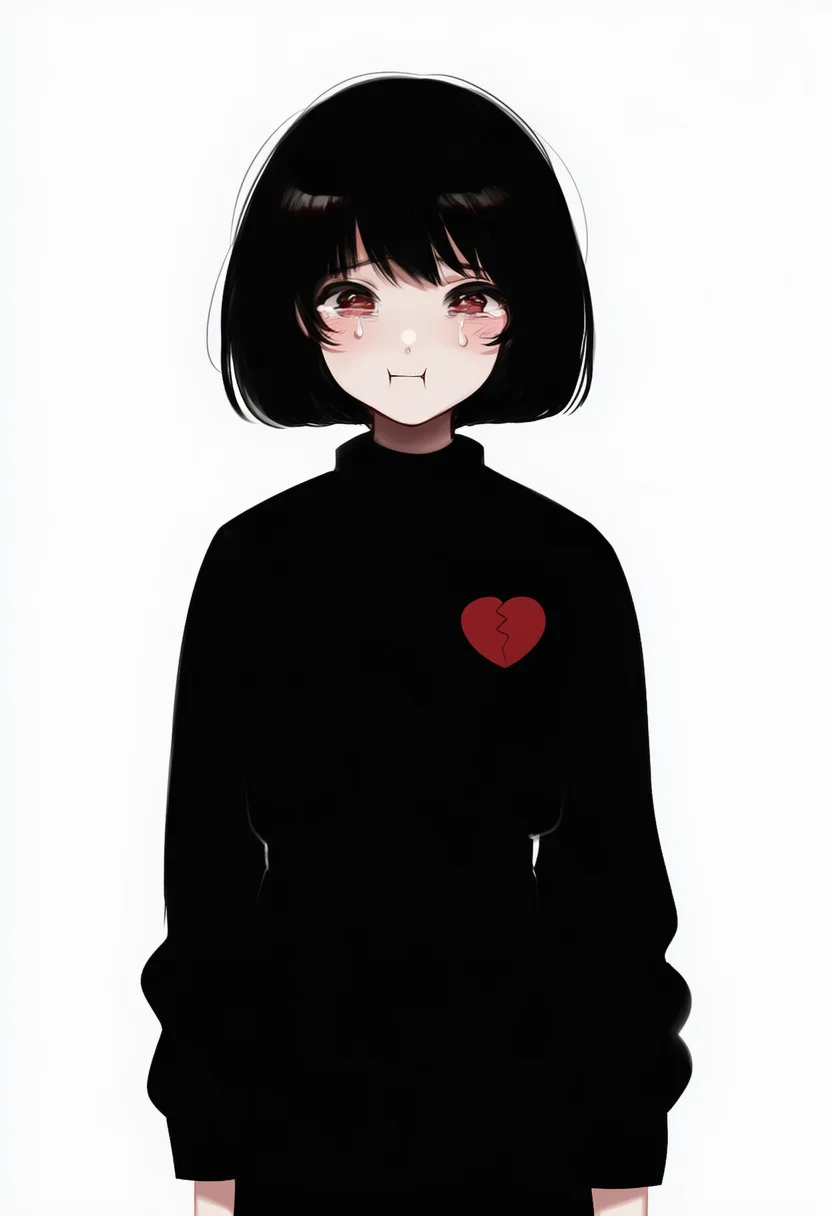
About the :i tag
:i is a face tag that NovelAI Diffusion can use. On Danbooru it has 4,084 posts, and its best-rated still image scores 1,351. The samples above put the tag at the front of a fixed base prompt with seed 1234, so the differences between tags come from the tag alone.
How each model draws :i
Follows composition and expression instructions closely, so the effect shows in a tidy form.
Reacts to the tag more strongly, so its effect is easier to see.
WAI illustrious SDXL v17, a local model. Shows how the same tag reads outside NovelAI.
Writing :i in a prompt
Put the subject first, then this tag, then quality tags.
1girl, solo, :i, best quality, masterpiecewlop, 1girl, :iThe negative prompt and the full settings are on the terms page.
How these samples were made
Every image uses 832×1216, seed 1234, 23 steps and the k_euler_ancestral sampler. The base prompt and negative prompt stay the same for every tag, and only the tag under test changes. Images flagged by the NSFW check are regenerated with a new seed or hidden.
From the Danbooru wiki
Show the wiki text ▾Hide ▴
Puffing out both cheeks, forming a :I shape with the mouth. Similar to :T, except with lines at both sides of the mouth. Usually indicates that the character is pouting, eating, having their cheeks squashed, puffing their cheeks, or holding their breath.
Actually :I (with serif) but not capitalized due to technical restrictions and may be confused with lowercase "l"(L).
Examples
- : Pout
- : Cheek squash
- : Puffy cheeks
- : ;I
See also
FAQ
Does NovelAI recognize :i?
Compare the samples on this page. Every tag on this site shares the same seed and base prompt, so any change you see comes from :i.
How do I write :i in a prompt?
Write ":i" near the front of the prompt and separate it from other tags with commas.
Should I use V5 or V4.5?
V4.5 shows the tag's effect more strongly. V5 gives steadier images with fewer artifacts.